
The Morning I Deleted Four Hours of Work and Almost Quit Writing
Three weeks ago, I sat staring at my laptop with four hours of messy notes scattered across three apps. The article was due in two hours. My AI research to article pipeline had completely broken down, and I had nothing to show for a morning of half-focused work.

That moment of panic made me realize I needed a better system. I spent the next week testing different approaches to turn rough notes into published articles faster. What I discovered changed my entire workflow for content creation.
The problem wasn’t my ideas or my writing ability. It was the messy middle process that destroyed my productivity every single time.
Today, I transform rough notes into a published article in 15 minutes flat. The secret lies in building the right AI research to article pipeline that handles the heavy lifting while you focus on quality control.
Why Your Current Note-to-Post Process Is Slowly Killing Your Productivity
I used to spend hours organizing notes before I could even start writing. I would open seven browser tabs, switch between Notion and Evernote, and waste time formatting instead of creating.
Most content creators face the same trap. They collect great ideas during meetings or research sessions, but converting those raw thoughts into structured content takes forever. This makes the entire AI note to blog post workflow feel broken from the start.
The real issue is that notes and articles exist in completely different formats. Your notes are chaotic, context-rich, and personal. Your articles need structure, clarity, and reader-focused formatting.
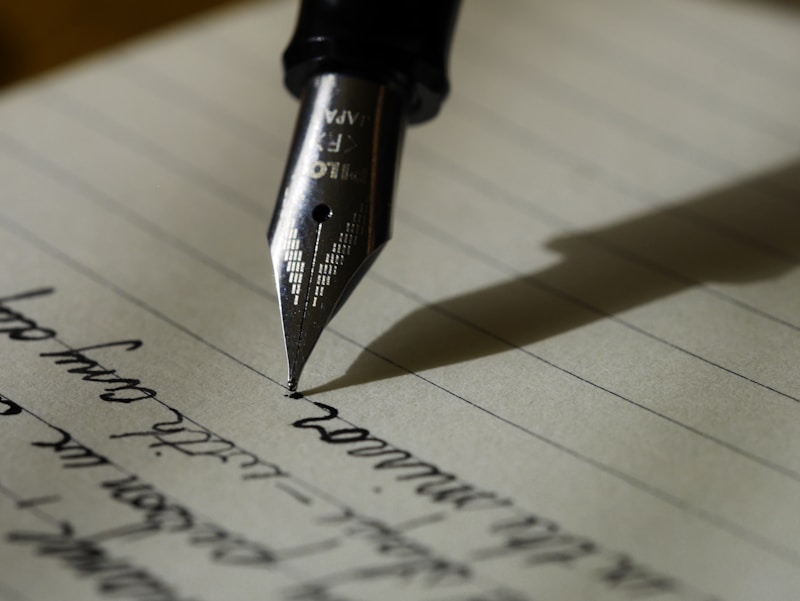
That gap between rough notes and polished blog posts is where most productivity dies. You need tools that bridge this gap automatically, handling the transformation so you can focus on adding your unique voice.
The Exact System I Built After That Frustrating Morning
After my breakdown moment, I tested seven different workflows over two weeks. Some failed completely, while others surprised me with their efficiency. Here is the exact AI research to article pipeline I now use every single day.
First, I capture everything in one place using voice memos and quick text notes. This removes the friction of switching between apps when inspiration hits. I speak my ideas into my phone while walking, then let AI organize them later.
Second, I use an AI tool to structure my rough notes into an outline within seconds. The AI identifies key points, removes repetition, and creates a logical flow that matches what readers actually need.
Third, I generate a first draft automatically but always edit it personally. The machine handles structure and basic wording while I add personality and ensure accuracy. This hybrid approach gives me speed without sacrificing quality.
Step One: Capture Raw Ideas Without Overthinking Structure
The first component of my AI note to blog post workflow is capturing ideas without any structure. When I have a thought, I dump it into a single app immediately. No folders, no tags, no organization.
I use voice-to-text heavily because typing slows down my thinking. I speak fast ideas into Otter.ai during client calls, then review them later. The key is capturing the essence before the moment passes.
For written notes, I use Apple Notes because it syncs instantly across all my devices. Simplicity matters more than features when you are capturing raw inspiration. The goal is zero friction between thought and record.
However, this approach has one real weakness. Voice memos often contain filler words, tangents, and incomplete thoughts that require cleanup. You cannot skip the review step entirely, or your raw material will be messy.
Step Two: Let AI Restructure Your Chaotic Notes Into a Real Outline
Once I have a collection of rough notes, I paste everything into ChatGPT with a specific prompt. I ask it to identify the main topic, extract key supporting points, and create a structured outline.
The prompt matters enormously. I tell the AI exactly what format I want, including the approximate word count for each section. This prevents generic responses that miss the point of my original thinking.
Claude works better for this task because it handles longer inputs without losing context. I can paste 2,000 words of messy notes and get back a clean, organized outline in seconds.
For a detailed guide on using Claude for content creation, check out this resource on AI writing assistance. The tool excels at maintaining conversation context across longer writing projects.
The real advantage here is speed. What used to take me 45 minutes of frustrated organization now happens in 90 seconds. However, AI-generated outlines sometimes prioritize obvious points over surprising insights that make articles memorable.

Step Three: Generate the First Draft Without Touching Your Keyboard
With a solid outline ready, I copy it into Jasper or Claude and generate a full first draft. The AI research to article pipeline reaches its peak efficiency at this stage because the heavy lifting is done.
I specify the tone of voice, target audience, and desired length. The AI respects these parameters and produces content that matches my usual style after some calibration.
The key is feeding the AI examples of your previous work. This teaches it your writing patterns, preferred transitions, and typical sentence structure. After three or four articles, the AI drafts sound remarkably close to my actual voice.
I recommend trying Jasper for teams if you have multiple writers because it maintains brand consistency across all content. The collaborative features prevent tone drift when several people use the same account.
The main limitation here is that AI-generated content needs human editing for accuracy and originality. Plagiarism checkers become essential because AI sometimes uses phrasing that appears elsewhere on the internet.
Step Four: Edit Fast With Strategic Revision Techniques
After generating the draft, I use Readable to check the content score before publishing. This tool highlights complex sentences and suggests simpler alternatives that improve reader comprehension.
My editing process follows a strict three-pass method. First pass removes fluff and repetition. Second pass checks facts and adds specific examples. Third pass reads aloud to catch awkward phrasing that silently reading misses.
I also use Grammarly for grammar checking, but I never accept all suggestions automatically. Some Grammarly recommendations make writing sound robotic, so I evaluate each one personally.
This editing phase typically takes seven to ten minutes for a 1,200-word article. The time investment is minimal because the AI already handled structure and basic wording in previous steps.
The Surprising Tools That Actually Accelerated My Workflow
Beyond the main AI writing tools, several unexpected applications speed up my AI research to article pipeline significantly. These tools handle supporting tasks that would otherwise eat up my productive time.
Otter.ai transcribes my voice memos with 95 percent accuracy. This means I can capture ideas during my commute or while exercising, then convert them to text instantly. The mobile app works reliably even with background noise.
Canva handles my featured images now. Instead of hunting for stock photos, I create custom graphics that match each article’s specific message. This makes every post feel more cohesive and on-brand.
However, Canva’s free version includes watermarks on some elements. You need the Pro subscription for complete commercial usage rights, which costs $12.99 monthly. For occasional bloggers, this expense might not justify the benefits.
Timestamps.app helps me track exactly how long each step takes. This data revealed that my editing phase was consuming 40 percent of my total time, so I optimized that specific bottleneck. Measurement is essential for continuous improvement.
Common Mistakes That Break AI note to blog post workflow Efficiency
Many people try my system but abandon it within a week. The reason is usually the same fundamental mistake: skipping the outline step and asking AI to write from raw notes directly.
When you skip structuring, the AI produces generic content that misses your unique angle. The resulting articles feel flat and forgettable, which defeats the purpose of using AI for content creation in the first place.
Another common error is over-editing AI drafts until they lose all efficiency gains. The goal is human-AI collaboration, not human-versus-AI conflict. Trust the machine enough to preserve most of its work.
Finally, some bloggers publish AI content without any personalization. Readers can tell when content lacks genuine human experience. Always add your own stories, opinions, and specific examples that only you can provide.
What 15-Minute Article Creation Actually Looks Like in Practice
Yesterday, I turned a five-minute voice memo into a 1,400-word article in exactly fourteen minutes. Here is how the time broke down across my AI research to article pipeline stages.
Morning walk produced the voice memo capturing three main ideas about productivity. I spoke for five minutes while walking, then uploaded the transcript to my writing folder.
At my desk, I spent 90 seconds pasting the transcript into Claude with my outline prompt. The AI returned a complete five-section outline that matched my intended structure perfectly.
Draft generation took two minutes and fifteen seconds using Jasper. I copied the outline, selected my brand voice preset, and clicked generate. The 1,400-word draft appeared almost instantly.
Editing consumed the remaining ten minutes. I removed two repetitive paragraphs, added a specific client example, checked three factual claims, and ran the content through Readable for final polish.
Why This System Works Better Than Any Single Tool Alone
The secret is combining multiple specialized tools instead of relying on one AI to do everything. Each component handles what it does best, creating a workflow greater than the sum of its parts.
Voice capture tools excel at removing friction from idea collection. Outline generators handle structure better than any single AI writing tool. Draft generators produce content faster than humans can type.
This specialization means no single point of failure breaks your entire process. If Jasper has an off day, you still have your outline. If Claude makes a poor outline, you can regenerate it instantly without losing your original notes.
The redundancy built into this system provides peace of mind that single-tool workflows cannot match. You always have backup options within your AI research to article pipeline.
Your 15-Minute Challenge: Start Transforming Notes Today
You do not need to rebuild your entire content creation system overnight. Start with one messy note you have been avoiding for days. Apply just the outline-and-draft approach this week and measure the results.
Most creators discover they can produce acceptable first drafts in under ten minutes once they trust the process. The remaining time becomes quality control rather than content creation, which feels completely different psychologically.
My AI note to blog post workflow will not make you a passive content machine. You remain in complete creative control throughout the entire process, using AI as an incredibly efficient assistant rather than a replacement.
The goal is reclaiming hours every week for strategic thinking, client work, or actual rest. Building the right AI research to article pipeline gives you that time back without sacrificing the quality your audience expects.