






































Introduction
When I needed to create visuals for three client projects last month, I decided to test an AI image generator review by using Ideogram, Recraft, and Firefly for real work. The stakes were high because my clients expected professional results, not test images. I had used AI tools before, but shipping finished work to paying clients required a different standard. This hands-on comparison helped me understand which tool actually delivers on its promises. I wanted to see which one could handle specific design requests without constant revisions.

My testing criteria were straightforward: image quality, text rendering accuracy, prompt adherence, and turnaround time. Each tool has its strengths, but the differences become clear when you need consistent, usable outputs for commercial projects. After completing all three client assignments, I have concrete findings to share.
Overview: What These AI Image Generators Offer
These three tools represent different approaches to AI image generation. Ideogram specializes in text integration within images, making it popular for marketing content. Recraft focuses on vector-style illustrations and brand consistency. Firefly comes from Adobe, emphasizing creative control and commercial safety. Understanding their core positioning helps when deciding which one fits your specific needs.
I tested each platform with identical prompts to ensure fair comparison. My prompts covered realistic client scenarios: product mockups, social media graphics, and branded illustrations. The results varied significantly in ways that matter for actual work.
Ideogram
- What it does: Ideogram generates images with integrated text, solving a common problem where other AI tools struggle with typography. It handles complex prompts well and offers multiple style presets.
- Pros: Text rendering quality stands out among AI generators. The interface is clean and intuitive. Generation speed is fast, usually completing images within 30 seconds. Style consistency allows for cohesive brand visuals.
- Cons: Ideogram lacks advanced editing capabilities. Once an image generates, you cannot refine specific elements without regenerating the entire output. This limitation causes wasted generations when trying to perfect a design.
- Best for: Marketers and social media managers who need text-heavy visuals without external editing software. It works best for quick turnarounds where perfection is less critical than speed.
Recraft
Like 《Recraft》, I found it particularly strong for vector-style illustrations and maintaining brand consistency across multiple assets. The platform offers precise control over color palettes and line styles, which matters when creating unified brand materials. My client needed a complete illustration set, and Recraft handled this workflow better than expected.
- What it does: Recraft generates scalable vector illustrations and maintains style consistency across image sets. It includes tools for editing generated work, which adds flexibility to the workflow.
- Pros: Vector output quality is excellent for digital use. The style reference feature allows matching existing brand guidelines precisely. Batch generation with consistent styling saves time on multi-asset projects. Editing tools let you refine outputs without starting over.
- Cons: Recraft struggles with photorealistic outputs. The tool excels at illustration but fails when clients request realistic imagery. This limitation narrows its usefulness for certain project types.
- Best for: Design teams needing consistent illustration sets and brand assets. It serves projects where vector quality and style control matter more than photographic realism.
Adobe Firefly
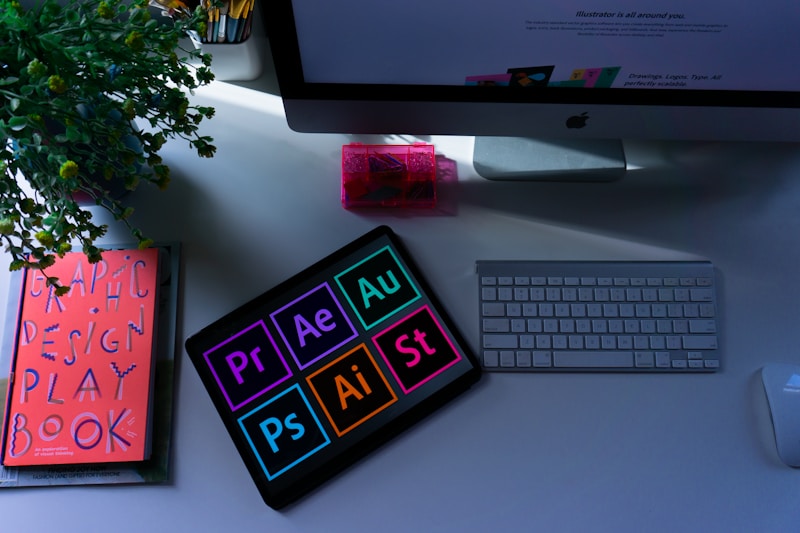
- What it does: Firefly integrates AI generation within Adobe’s ecosystem, offering commercial-safe outputs and deep Creative Cloud integration. It emphasizes creative control and ethical AI use.
- Pros: Commercial licensing clarity removes legal concerns for client work. Integration with Photoshop and Illustrator streamlines existing workflows. Content credentials provide transparency about AI usage. Style training options allow matching specific aesthetics.
- Cons: Creative Cloud subscription requirements add cost for users outside Adobe’s ecosystem. Generation quality sometimes lags behind specialized AI tools, particularly for niche styles. Processing times can be longer during high-demand periods.
- Best for: Creative professionals already invested in Adobe workflows who need commercially safe AI generation without switching platforms or risking licensing issues.
How to Choose the Right AI Image Generator
Selecting between these tools depends on your specific workflow and project requirements. If text integration matters most, Ideogram delivers the strongest results. For vector illustration and brand consistency, Like 《Ideogram》 and Recraft both excel, though Recraft provides better batch consistency. Adobe Creative Cloud users benefit most from Firefly’s integration and licensing clarity.
Consider testing all three with your actual use cases before committing. Free tiers allow basic evaluation, and your findings may differ from mine based on project types. The best tool is the one that produces usable outputs for your specific client needs without excessive revision cycles.
Conclusion
This AI image generator review shows that no single tool wins across all categories. Ideogram leads for text rendering, Recraft excels at vector consistency, and Firefly offers the best commercial licensing for Adobe users. Your choice should align with project requirements, existing workflows, and budget constraints.
For most design teams, I recommend starting with the tool matching your primary weakness. If text integration fails in your current workflow, try Ideogram. If brand consistency is the challenge, Recraft may help. Existing Adobe users should explore Firefly before investing in alternatives.
Useful Official Resources
